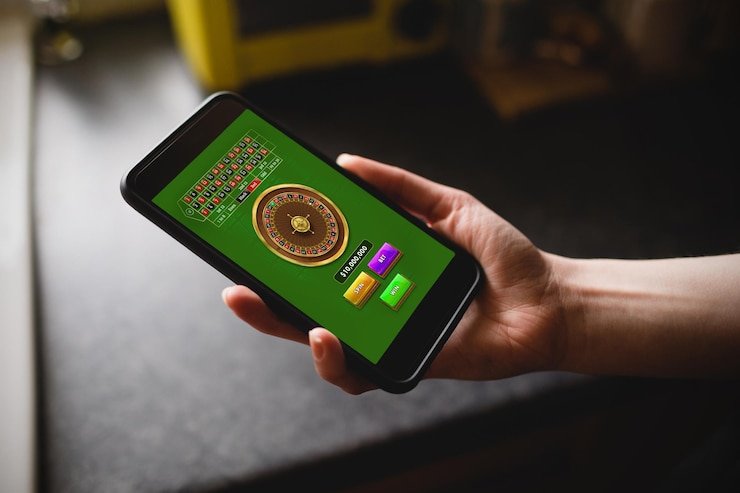
Installation Paths for bgibola 88
We offer three ways to access bgibola 88 on mobile: Android APK (direct download and install on Android 7.0 and above), iOS browser access (open our mobile web app in Safari or Chrome on iPhone or iPad), and web app on desktop or tablet (responsive design that adapts to any screen size). Each path provides full access to our live-dealer tables, sportsbook, slots, and esports markets without compromising functionality or security.
Installation options
- Android APK: native app with offline caching and push notifications
- iOS browser: web app in Safari with full feature parity
- Web app: responsive design for desktop, tablet, or mobile browsers
- All paths provide encrypted account access and secure payment processing
Android APK Installation
To install bgibola 88 on Android, download our official APK file from our website or support portal. Before installing, enable "Unknown Sources" in your device settings (Settings → Security → Allow installation from unknown sources). Open your Downloads folder, tap the bgibola 88 APK, and follow the on-screen prompts. The installation is straightforward and typically completes within seconds. Once installed, open bgibola 88, register or log in, and verify your mobile number via SMS.

iOS Browser Access
iOS users do not need to install an app. Simply open Safari or Chrome, navigate to bgibola88.id (the exact domain), and bookmark the page for quick access. Our responsive web design automatically adapts to your screen size. You can also add our web app to your home screen (tap Share → Add to Home Screen), which creates an icon that launches our platform in full-screen mode, mimicking a native app experience.
Installation Walk-Through
Visit our website or support portal and download the bgibola 88 APK (Android) or open our web URL in your browser (iOS and web).
For Android, enable Unknown Sources, open the APK file, and tap Install. For iOS and web, simply open the browser and navigate to our site.
Create your bgibola 88 account with your email, phone number, and a secure password. Complete identity verification with your government ID.
Make your first deposit via DANA, e-wallet, mobile banking, local payment, or bank transfer. Your balance is instantly credited, and you can begin playing immediately.
App vs. Browser: Comparing Your Options on bgibola 88
Our native Android app offers offline game caching, push notifications for live-dealer table openings and sportsbook odds updates, and faster load times on slower connections. The app stores game assets locally, so even if your network hiccups, you can continue playing certain games without interruption. Push notifications alert you when your favorite Piala Indonesia matches are about to start or when a high-limit blackjack table becomes available. However, the app requires periodic updates as we release new features and security patches.
Our mobile web app works on any device with a modern browser (Safari, Chrome, Firefox, Edge) and never requires installation or updates. Your browser always loads the latest version of bgibola 88 automatically. The web app is ideal for users who prefer not to download software or who want to switch between devices seamlessly. Performance is nearly identical to the app on fast connections, though on slow networks the app's offline caching may provide a slight advantage. Both paths encrypt all data transmission and protect your account with the same security protocols.

Device Compatibility and Requirements
bgibola 88 runs on Android 7.0 and above (released 2016 and newer) and iOS 12 and above (iPhone 5S and newer). Most devices in use today meet these requirements. We also support all modern desktop browsers (Chrome, Firefox, Safari, Edge). If you have an older device, update your operating system if possible, or use our web app instead of the Android APK. Our responsive web design works even on older browsers, though you may experience slower performance on very old devices.
Troubleshooting Installation Issues
If you encounter issues downloading or installing the Android APK, check that "Unknown Sources" is enabled in your device settings and that you have at least 50 MB of free storage. Some devices block APK files by default; if this occurs, temporarily disable your security software, install bgibola 88, and re-enable security afterward. If the app fails to launch after installation, clear your app cache (Settings → Apps → bgibola 88 → Storage → Clear Cache) and try again. If problems persist, our multilingual support team is available via live chat or email to guide you through installation step by step.
Data, Permissions, and Account Security on bgibola 88
Our app and web platforms use the same SSL-256 encryption to protect your data in transit. When you register, we collect your email, phone number, and government ID for identity verification—standard Know-Your-Customer (KYC) requirements. Your password is hashed using industry-standard algorithms, so even our team cannot access it directly. Optional two-factor authentication (2FA) adds a second security layer: after logging in with your username and password, you receive an SMS code that you must enter to complete login. This prevents unauthorized access even if someone obtains your password.
We request minimal permissions: on Android, the app needs permission to access your internet connection and send notifications (optional; you can disable notifications in app settings). We do not request access to your contacts, photos, location, or microphone. On iOS, permissions are managed by the browser and the app does not request device access beyond internet connectivity. All communication between our app, our servers, and payment processors is encrypted. Your account balance, transaction history, and gameplay data are stored securely and accessible only to you and our support team (when assisting with account issues).